01 / 05
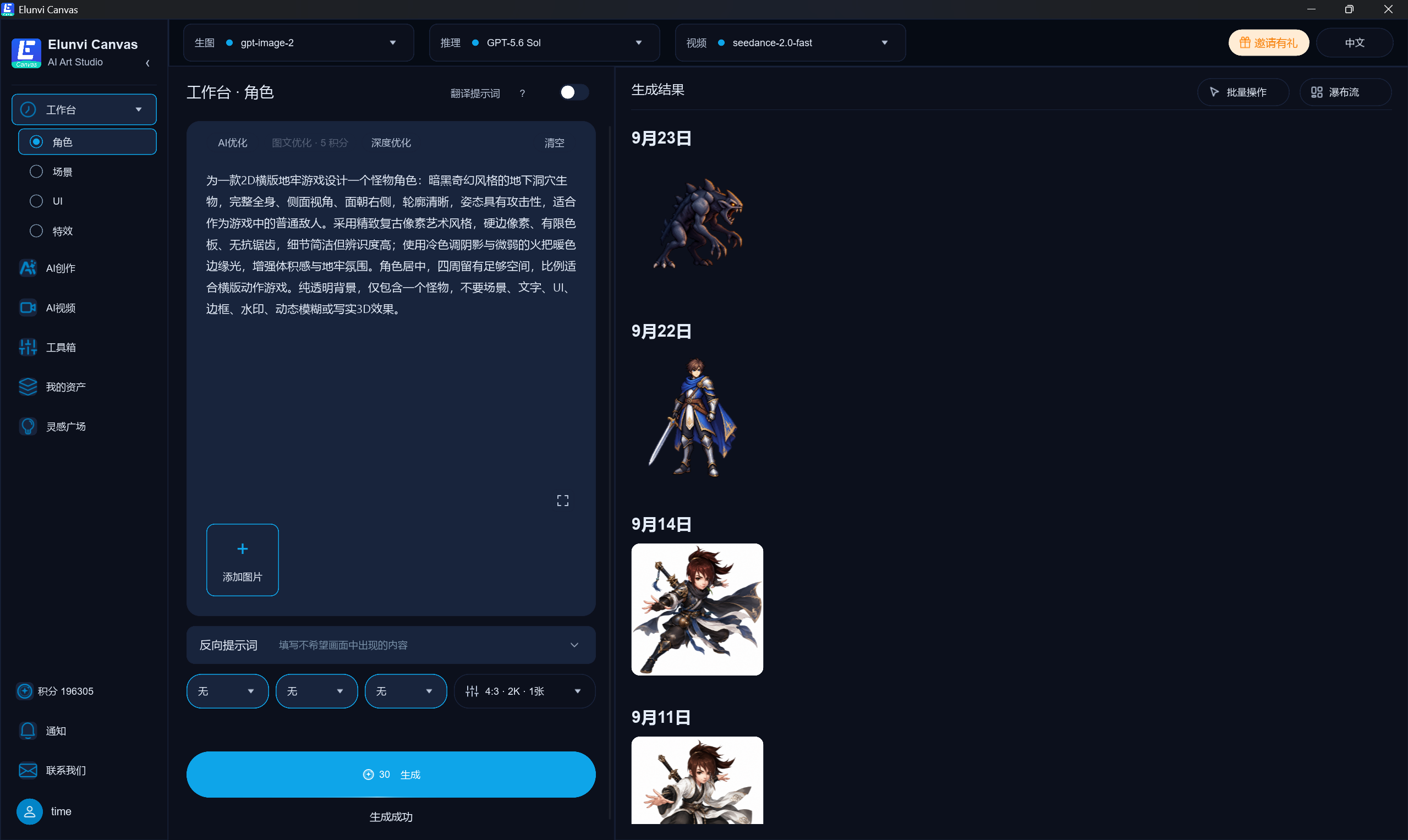
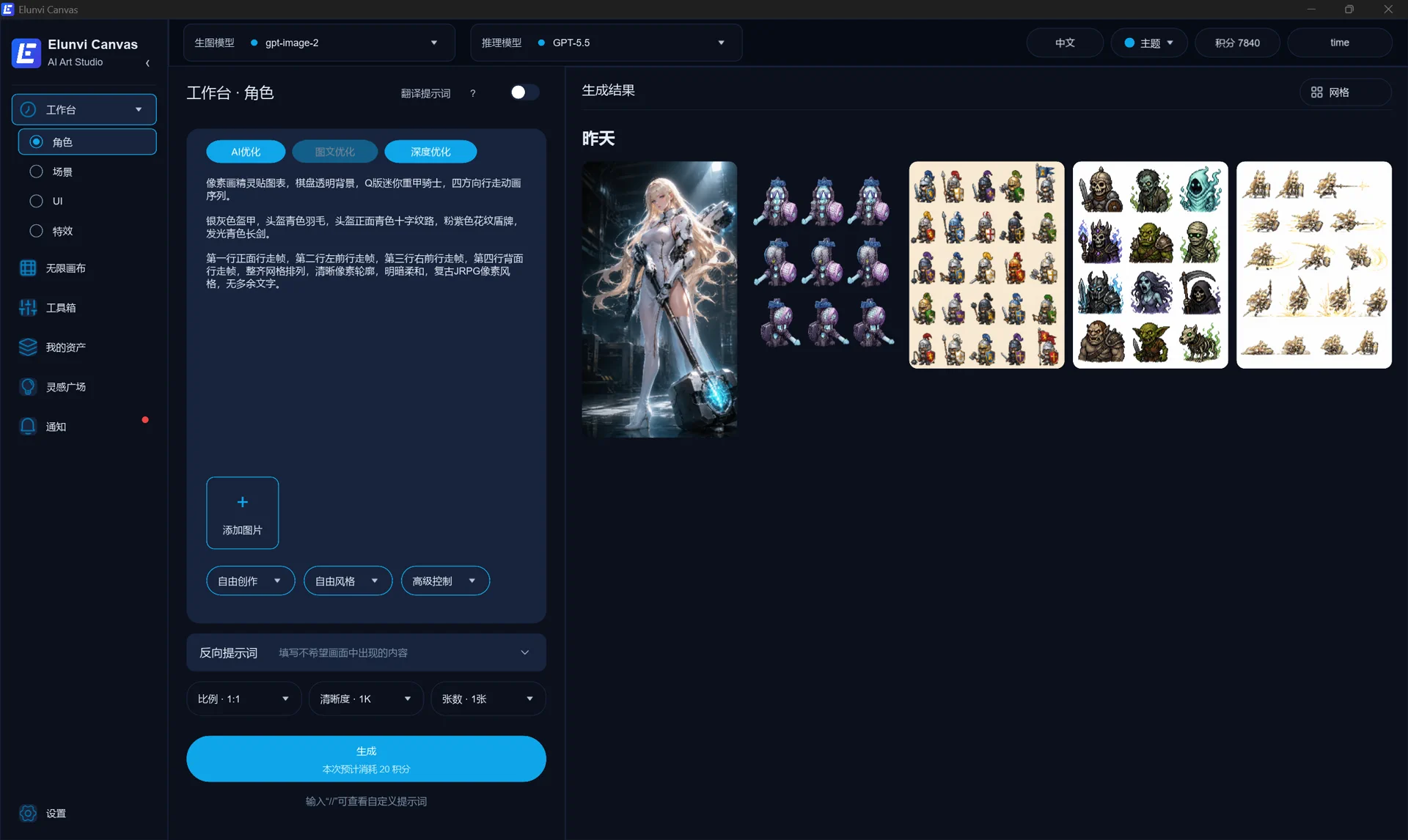
Four types of workbench, creation and results are on the same screen
Characters, scenes, UI and special effects all have corresponding creation workbench, and tasks can be switched according to material type. Descriptions, reference images, and screen specifications are organized on the left, generated results are viewed on the right, and raw images, inference, and video models are selected centrally at the top. The figure takes the role workbench as an example. You can also see reverse prompt words, batch operations and waterfall flow entrances.