
长沙欣慰科技Elunvi
English

Elunvi Poster

Give your event information a clear visual form.

AI Event Posters and Promotional Graphics

Start with a template or reference image and bring your event details and brand material into the creative process. Elunvi Poster includes entry points for posters, event graphics, menus and price lists.

Explore availability and use

Elunvi Poster | AI Event Posters and Promotional Graphics
Elunvi Poster
01

From event details to promotional graphics

Start with a template, reference image or description. For event graphics, combine AI visuals with a layout template, add a title, logo, contact details and QR code, then review and download.

  1. Find a visual direction

    Explore inspiration and templates, or use reference images and a description to express the look you have in mind.

  2. Bring event and brand details together

    The event-graphic form includes fields for headings, content, a logo, contact details, an address and a QR code.

  3. Review before publishing

    Check important wording, dates, prices and contact details in the preview and downloaded result before using the graphic publicly.

Who it is for Brand and shop owners, event marketers, content creators and education providers.

02

Before you start

Is Elunvi Poster only for education promotion?

No. Elunvi Poster supports event, brand and local business promotion. The current interface also includes menus, price lists and event graphics.

Can I add my logo, QR code and contact details?

The event-graphic form has fields for this material. Check placement, clarity and appearance in the preview and downloaded result.

Can generated text or prices contain mistakes?

Yes, generated text needs review. Check event names, dates, prices, addresses and contact details before publishing.

Can I edit layers or export PSD and PDF files?

The product includes continued creation and event-information inputs; these do not amount to a layer editor. Check the current download options before relying on editable source files or a specific delivery format.

How do I access the service and find pricing?

Elunvi Poster runs in a browser with no desktop installation. The current service uses a Simplified Chinese interface and WeChat sign-in. See the product for subscription and generation charges.

Elunvi Poster

Next step

Developed by Shineway Technology · 长沙欣慰科技有限责任公司

Elunvi site

ELUNVI / Elunvi Poster

Elunvi Poster · Core capabilities

01 / 05

For poster inspiration, start looking for promotional scenes

Poster mode puts recent solar term inspiration and category galleries on the same page. Holiday blessings, event promotions, business promotions, culture and art, education and training, and lifestyle can be switched according to tasks; the upper input area also retains the theme description, reference pictures, style, proportion, clarity, and number of pictures.
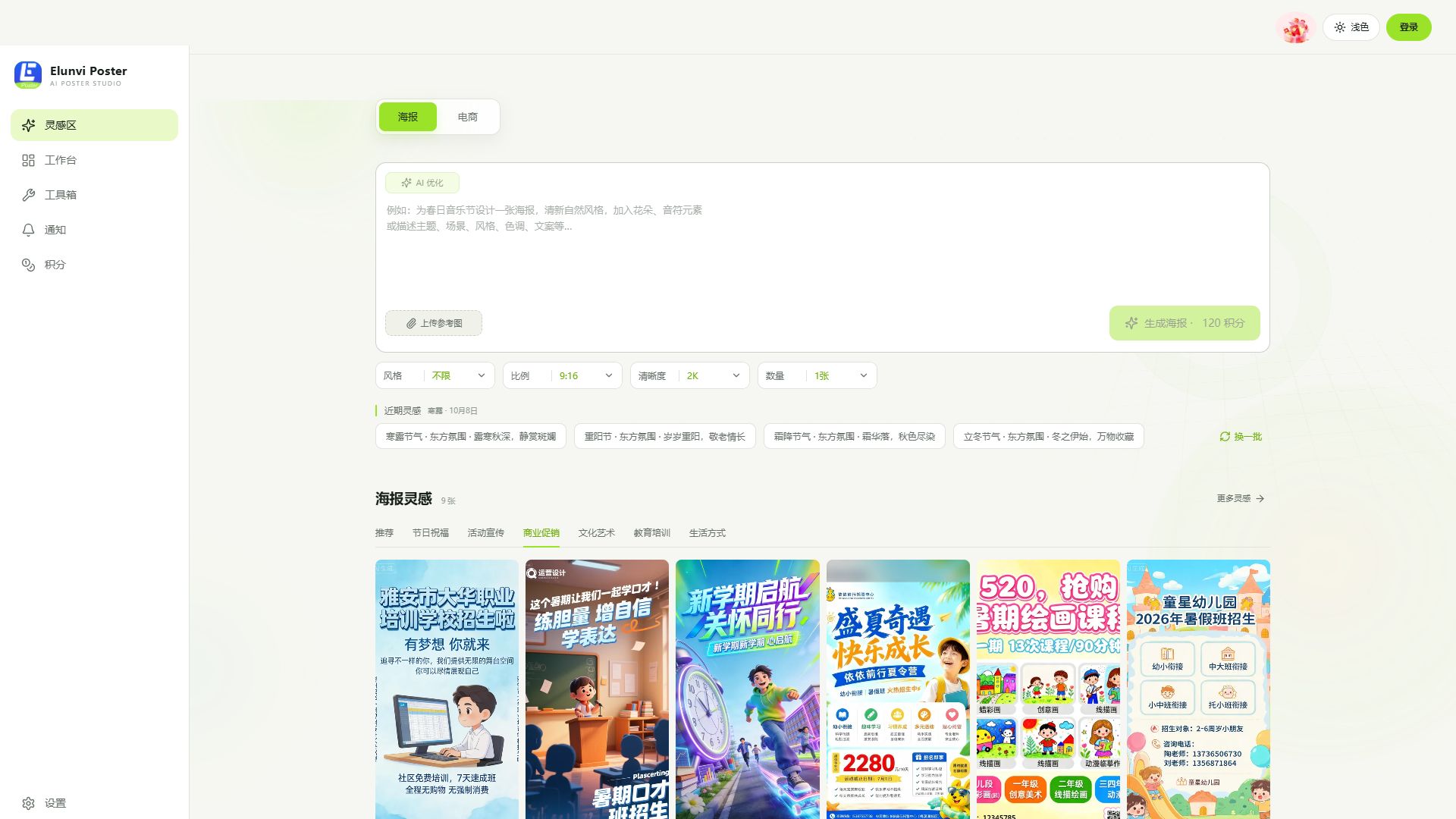
Elunvi Poster full-screen poster mode, showing commercial promotion classification and poster creation parameters
02 / 05

See the full poster and also see the full prompts

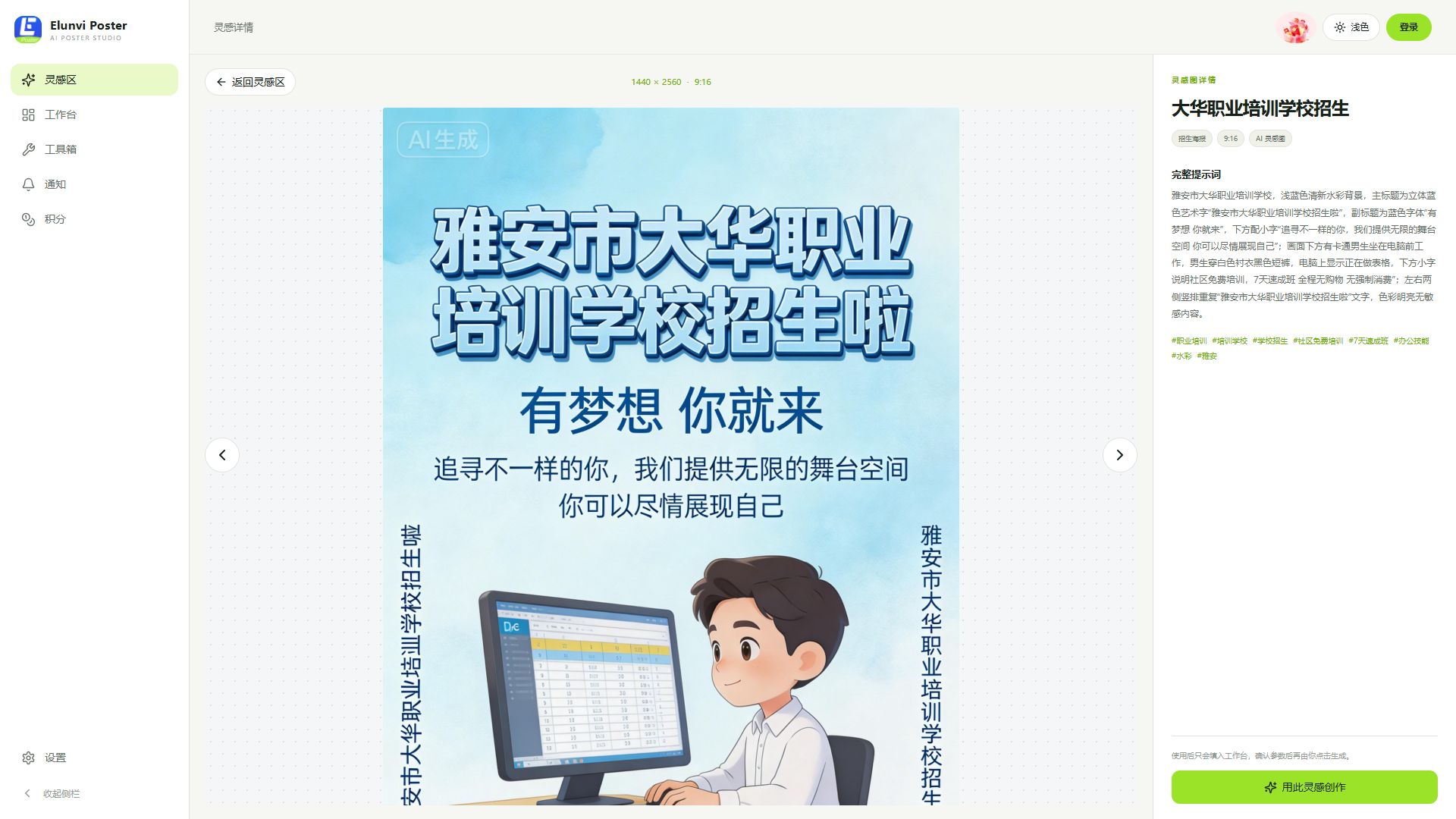
Click on the poster inspiration picture to display the work in the center, and the size ratio, complete prompts, and topic tags are listed on the right. Examples not only provide visual reference, but also provide the basis for describing composition, text, and style to the creator, who then decides whether to bring it to the workbench.

Elunvi Poster Full-screen poster inspiration details, the enrollment poster is displayed in the center, and the complete prompt words are displayed on the right
03 / 05

E-commerce vision, choose templates according to product usage

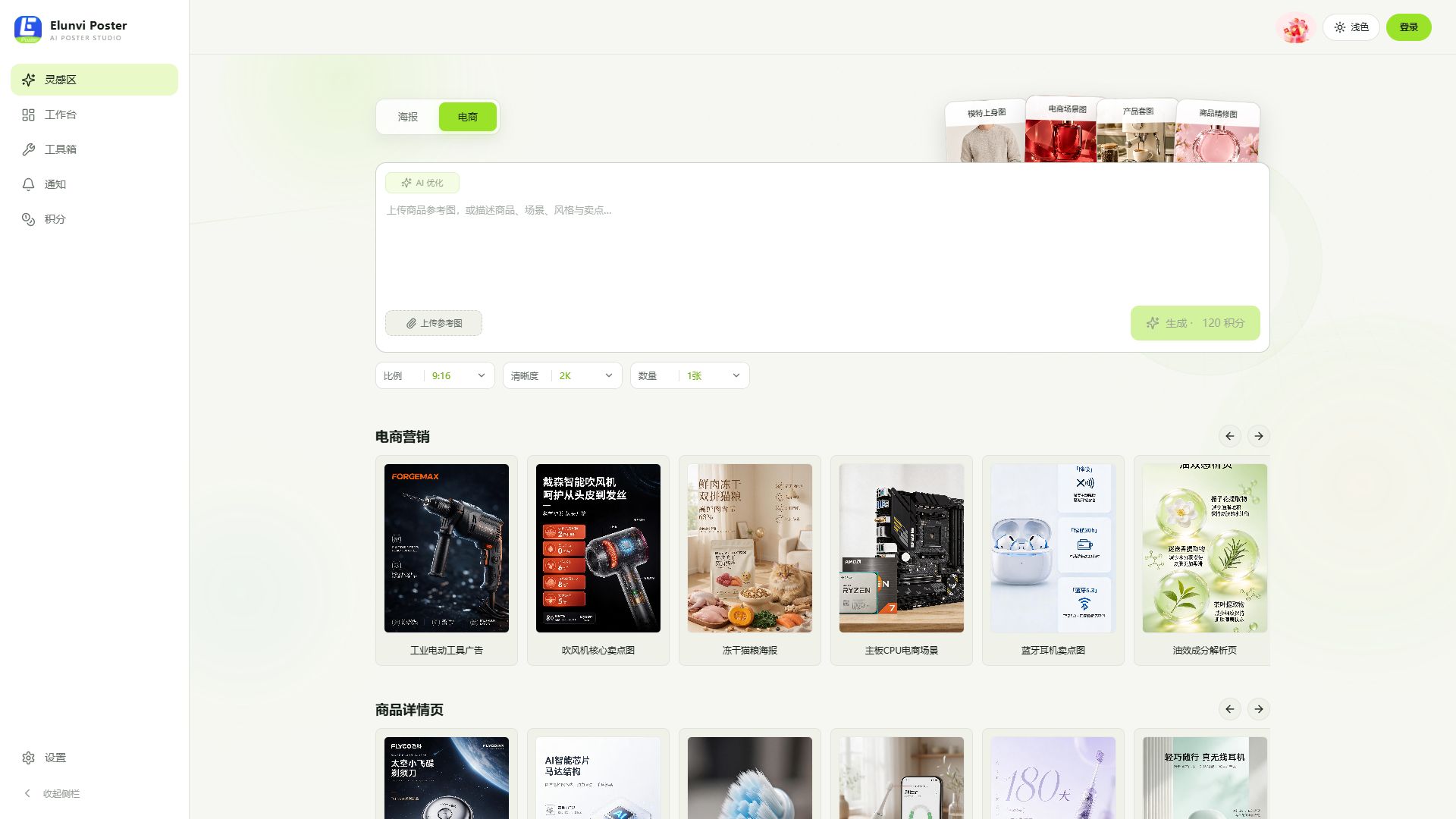
Switch to e-commerce mode, and model upper body pictures, e-commerce scene pictures, product set pictures, and product refined pictures become shortcut types; examples are shown below for e-commerce marketing and product details pages. Description, reference image, scale, clarity and number of images can still be checked on the same screen.

Elunvi Poster new full-screen e-commerce template gallery and creative input
04 / 05

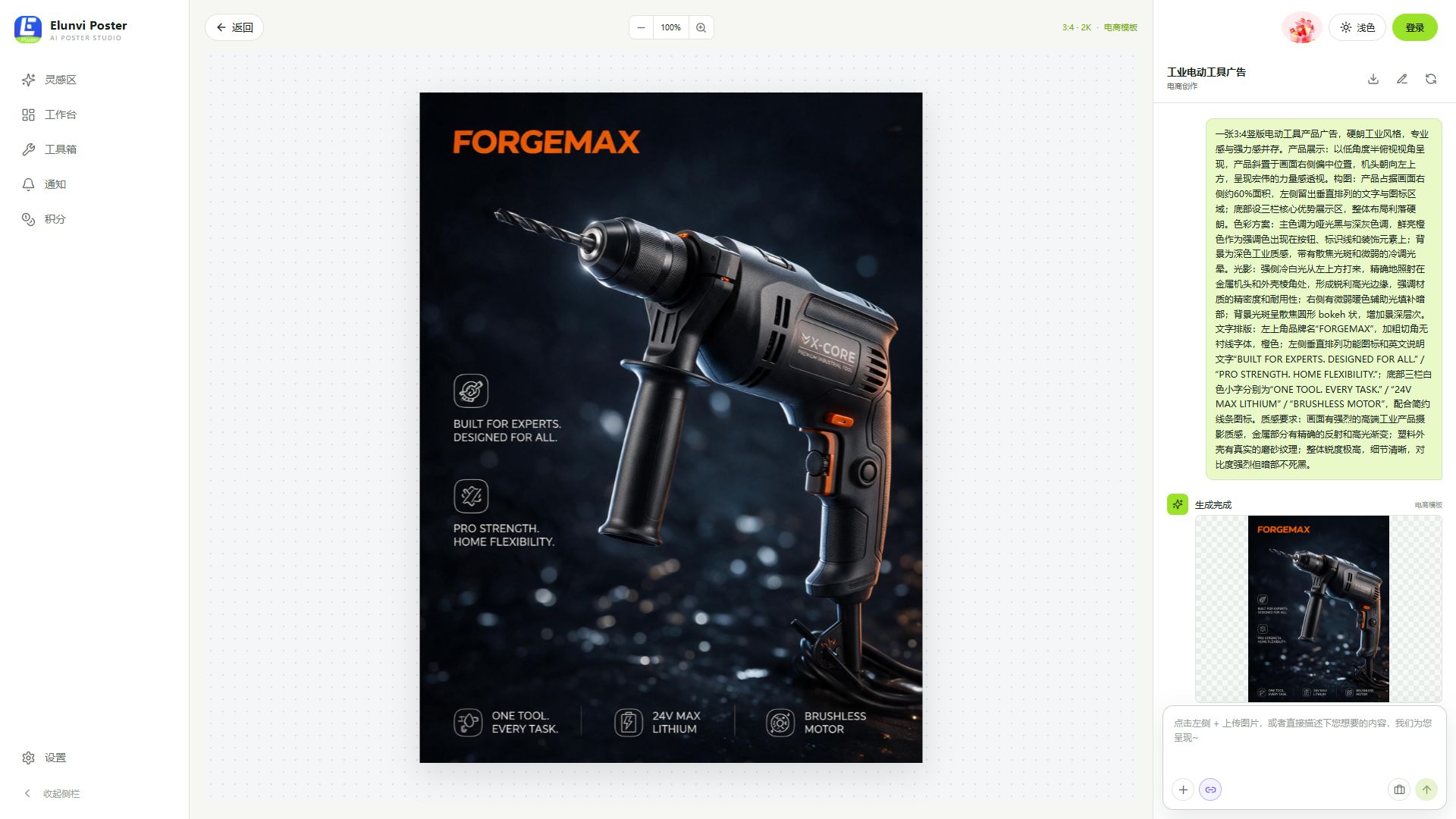
The finished picture and prompt words are arranged side by side to facilitate continued polishing.

Enter the details of the e-commerce template. The work is displayed on the central canvas, and the input area for creation prompts, preview and continued dialogue is displayed on the right side. The product body, scene atmosphere and text information can be checked together with the picture.

Details of the new full-screen e-commerce template of Elunvi Poster, showing the work canvas and prompt words
05 / 05

Common publicity tasks also have quick access

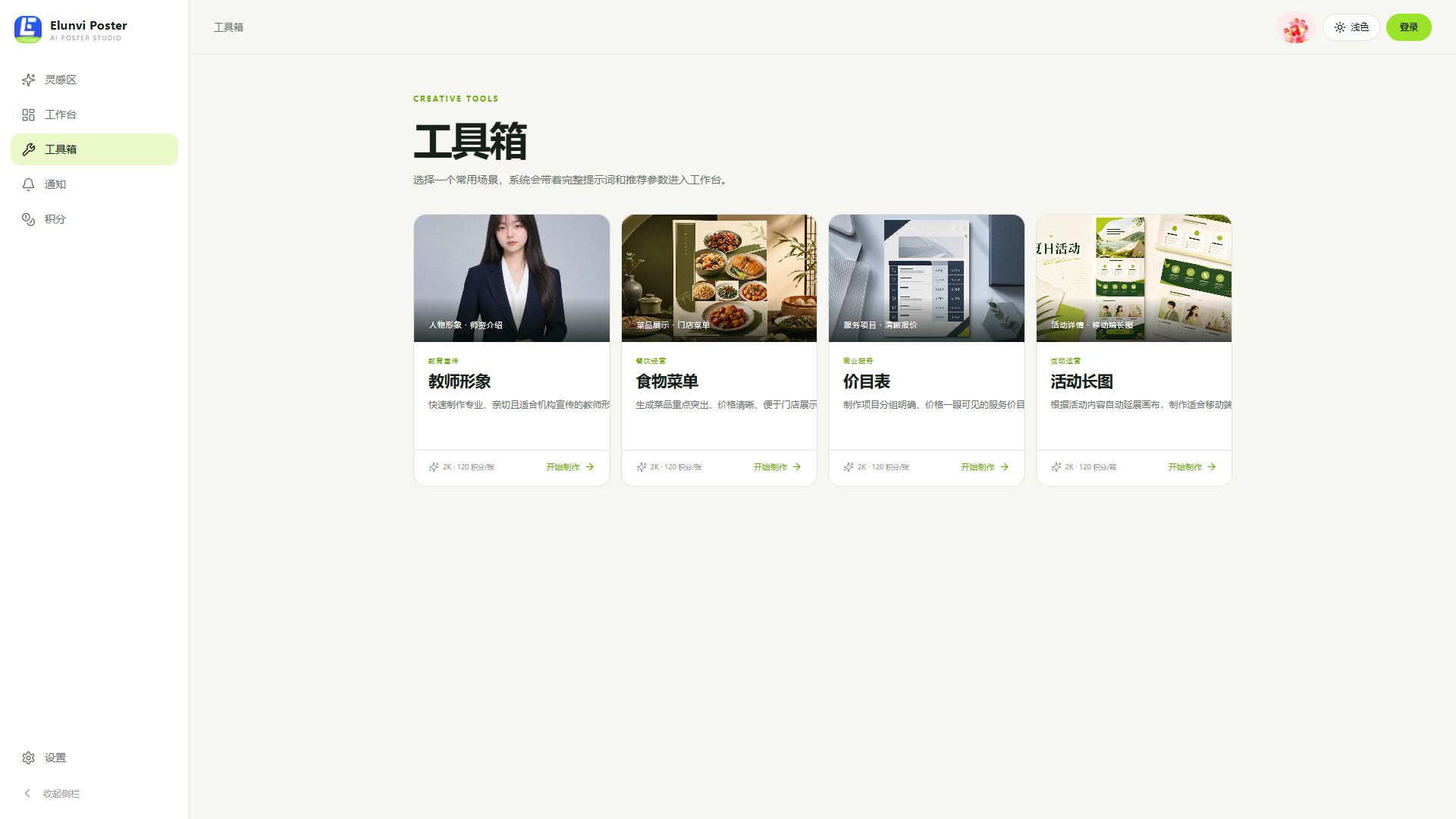
Teacher images, food menus, price lists and activity charts each have separate entrances in the toolbox. They provide a scenario-based starting point for agency, store and event promotion, and complement each other with the two inspiration modes of posters and e-commerce.

Elunvi Poster’s new full-screen toolbox shows four common scenarios

AI SUPPORT

AI support

The AI capabilities in Elunvi products are supported through the following AI relay services. Visit each site to learn more.